Smart Calendars AI: Revolutionizing Scheduling with Intelligence
Smart Calendars AI transforms chaotic schedules into calm workflows. It reads priorities, spots conflicts, and suggests smarter meeting times. Because of AI, scheduling stops being busy work and starts being strategic.
Imagine fewer double bookings and fewer wasted minutes. As a result, teams gain focused time to do real work. Adaptive learning predicts the best slots based on habits and deadlines. Therefore meetings fit into priorities, not the other way around.
Smart Calendars AI builds on familiar Google and Outlook routines. So onboarding stays quick while benefits arrive fast. It also flags deadlines, colors priorities, and maps workload peaks. Ultimately, it shifts teams from reactive mode to planned progress.
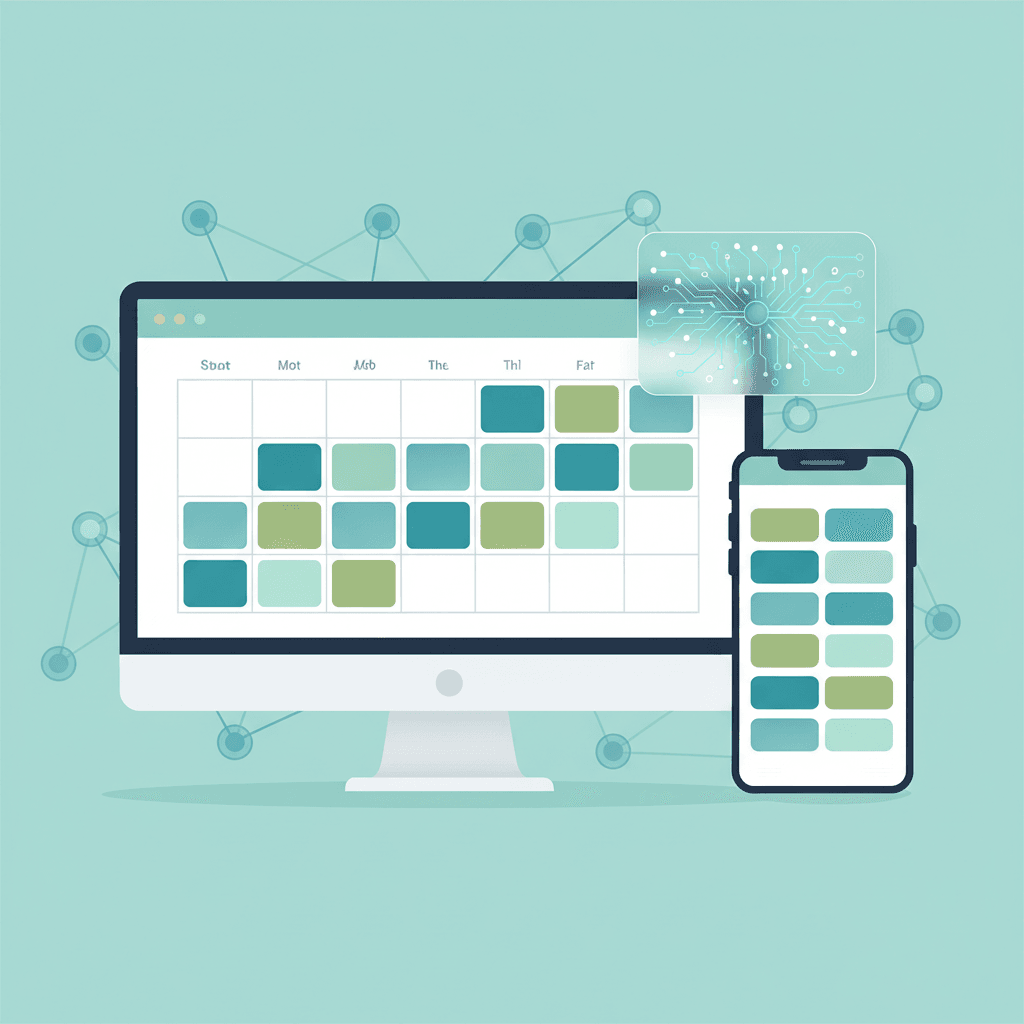
It analyzes availability, priorities, deadlines, and meeting history. Then it offers clear calendar suggestions you can accept or tweak. Color coded entries, priority flags, and deadline reminders keep work visible. Plus, adaptive scheduling reduces back and forth across time zones. Today it runs on iPhone, iPad, and Mac. Best of all, it keeps your trusted Google and Outlook workflows intact.
Read on to see how AI rethinks availability, streamlines planning, and reclaims time. You will learn practical examples, core features, and real savings.
How Smart Calendars AI Works
Smart Calendars AI combines machine learning, natural language processing, and device sync to make scheduling smarter. Because it learns from your habits, the system predicts the best meeting slots. As a result, you see suggestions that respect priorities and deadlines.
Smart Calendars AI Features
- Natural language processing (NLP): Type or speak requests like “30 minute follow up next week.” The calendar parses intent and creates events automatically. Therefore you avoid manual entry and errors.
- Predictive scheduling: The platform looks at availability, past meeting length, and deadlines. Then it suggests optimal times, so meetings land when people are most productive.
- Cross device integration: It syncs natively with iPhone, iPad, Mac, Google, and Outlook. Because of this, onboarding stays familiar and painless.
- Adaptive learning and categorization: Machine learning groups events, flags dependencies, and highlights workload peaks. As a result teams can rebalance tasks before overload.
Example
If a manager asks for a project review next Thursday, the system checks calendars, flags conflicts, and proposes three slots. Then the manager picks one with one click. This reduces back and forth and speeds planning.
For more AI content tools and tips, see this guide. For context on workplace inefficiency, see Microsoft Work Trend Index.
| Solution | Features | Pricing | Integration Options | Best Use Cases |
|---|---|---|---|---|
| Smart Calendars AI | Color coded entries, priority flags, deadline reminders, NLP input, predictive scheduling, adaptive learning | Three year offer $29.99 (reg $59.97). StackSocial prices may change. | Google Calendar https://calendar.google.com, iPhone, iPad, Mac | Small teams, busy managers, deadline driven projects |
| Clockwise | Automatic focus time, meeting consolidation, workload balancing, machine learning suggestions | Free tier, paid plans for teams; contact vendor for pricing | Google Calendar https://calendar.google.com, G Suite | Teams needing focus blocks and smarter meeting distribution https://www.getclockwise.com |
| Calendly | Smart meeting links, availability rules, buffer times, routing forms | Free plan, Pro and Teams subscriptions | Google Calendar https://calendar.google.com, Outlook, Zoom | External bookings, sales meetings, customer calls https://calendly.com |
| Google Calendar Suggestions | Quick scheduling, intelligent time suggestions, event nudges | Included with Google account | Google Calendar https://calendar.google.com | Personal use, light team scheduling |
Note: For a deeper look at AI content and calendar workflows, see How to Use the AI Writer.
Benefits and Use Cases of Smart Calendars AI
Smart Calendars AI delivers clear gains for businesses and individuals. It reduces busywork and returns time to high value tasks. As a result, teams move from reactive firefighting to planned execution.
Efficiency and time saving
- Automates scheduling and reduces back and forth. Therefore teams book meetings in fewer steps.
- Consolidates overlapping requests and protects focus time. As a result, productivity rises.
- Offers one click suggestions that match availability and priorities.
Error reduction and reliability
- Detects conflicts and double bookings before they happen. This prevents costly meeting mix ups.
- Uses machine learning to predict realistic meeting durations. Thus calendar estimates become more accurate.
- Flags deadline dependencies and warns about workload spikes.
Personalized scheduling and user experience
- Learns individual work rhythms and suggests ideal times. For example, it reserves deep work blocks for people who need focus.
- Applies priority flags and color coding to surface urgent items quickly.
- Syncs across iPhone, iPad, Mac, Google, and Outlook so users keep familiar workflows.
Vivid scenarios
- A product manager needs a two hour review next week. Smart Calendars AI proposes three slots that avoid deep work blocks. The team accepts one slot with one click. This saves 15 minutes of email and chat.
- A sales rep works across time zones. The calendar auto normalizes times and suggests customer friendly slots. As a result, meetings convert faster.
Best use cases
- Small teams with tight deadlines that need coordination.
- Managers who want to reduce scheduling overhead.
- Freelancers and consultants who handle many client bookings.
For practical tips on AI writing and workflow automation, see this guide. For data on work inefficiency, see Microsoft Work Trend Index.
CONCLUSION
Smart Calendars AI is changing how teams and individuals plan their days. It replaces repetitive scheduling work with intelligent suggestions, so people spend less time coordinating and more time executing. As a result, organizations see fewer conflicts, more protected focus time, and clearer deadlines.
These tools boost productivity in practical ways. They cut back-and-forth email, reduce double bookings, and surface the best meeting times. For managers, this means faster decision cycles. For freelancers, this means smoother client bookings. Because the platform learns preferences, suggestions improve over time and align with real work rhythms.
If you want a unified AI automation platform that scales communication and engagement, consider AllosAI. AllosAI bundles advanced chatbot and social media tools with automation features. Therefore you can centralize scheduling, messaging, and outreach in one place. Explore the platform and try the apps below
Smart Calendars AI makes schedules predictable and less stressful. Ultimately, the right AI tools free teams to focus on what matters most. Explore AllosAI to see how integrated AI solutions can streamline your workflows.
Frequently Asked Questions (FAQs)
What are Smart Calendars AI?
Smart Calendars AI are calendar tools powered by machine learning and natural language processing. They automate scheduling, suggest optimal meeting times, and reduce manual planning. As a result, teams spend less time coordinating and more time executing.
How do Smart Calendars AI work?
They analyze availability, meeting history, priorities, and deadlines. Then they propose slots based on patterns and preferences. Because they learn over time, suggestions become more accurate and aligned with real work rhythms.
What benefits can I expect?
- Time saved from fewer scheduling emails
- Fewer double bookings and conflicts
- Smarter meeting lengths and protected focus time
- Personalized schedules that match work styles
Are they hard to implement and secure?
Most solutions integrate with Google and Outlook. Therefore onboarding is quick and non-disruptive. Vendors use encryption and permissions to safeguard calendar data. However check each provider’s privacy policy and admin controls.
How can I start using Smart Calendars AI?
Begin with a single team pilot. Then test NLP entry, predictive suggestions, and cross-device sync. Finally roll out policies for shared calendars and priority flags to maximize impact.