AI Computer Agents: Transforming Interaction with Software
AI computer agents are changing how we interact with software and the web. They act like virtual users that perform tasks for humans. As a result, businesses automate workflows faster than before. However, this shift raises new questions about safety and control.
Early systems handled simple clicks and form fills. Today, reasoning models and multimodal systems handle complex sequences. They often use virtual mouse and keyboard tools to control pages. For example, OpenClaw and ChatGPT agent show practical progress. Moreover, Claude computer use highlights rapid accuracy improvements in real tasks.
This article explains how AI computer agents work, their risks, and safeguards. It also covers setup, APIs, virtual machines, and testing. Therefore, readers will gain practical steps and safety best practices. Finally, we set expectations for adoption and future benchmarks.
We will examine benchmarks such as the OSWorld benchmark. We will compare human scores to agent performance and explain gaps. Because safety matters, we discuss permission models, credential handling, and sandboxing. As a result, you will understand practical trade offs and deployment patterns.
How AI Computer Agents Work
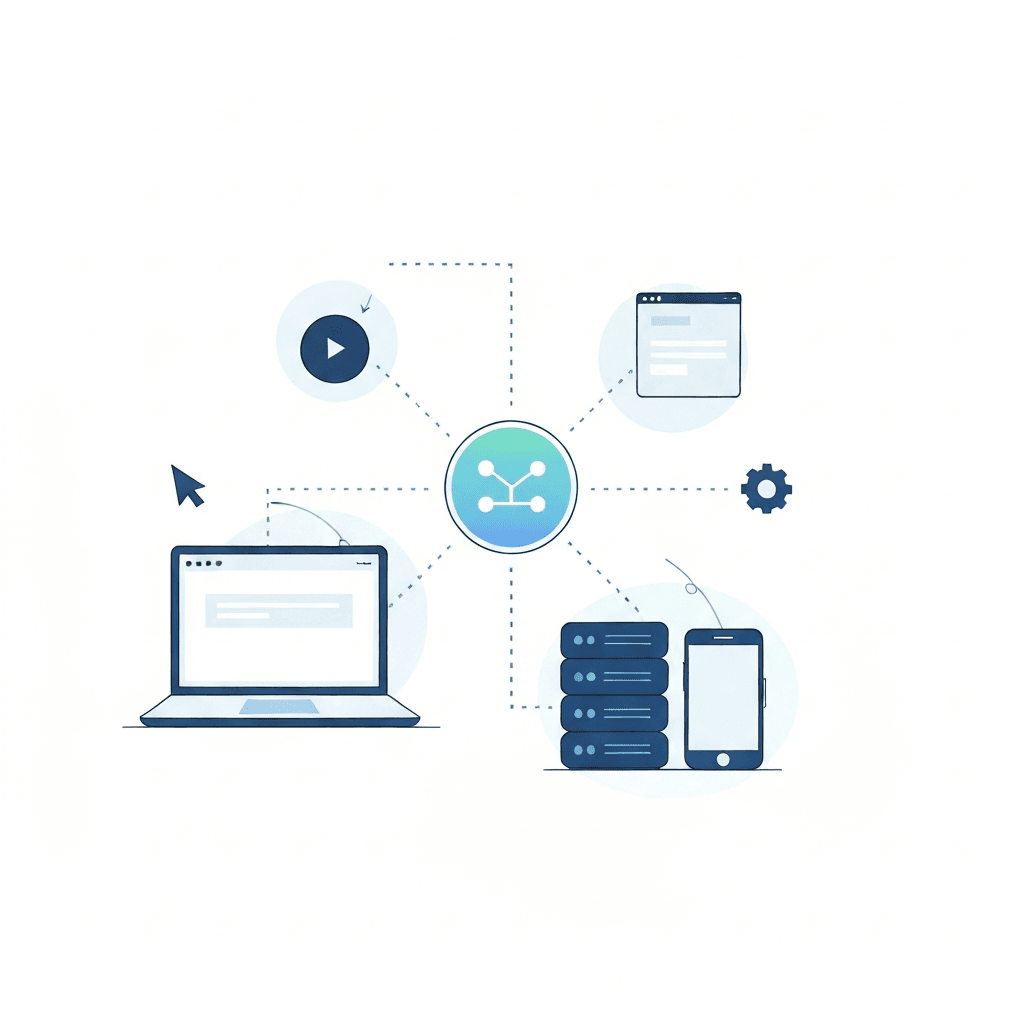
AI computer agents combine perception, planning, and action to automate digital tasks. They observe interfaces, decide the next steps, and execute actions like clicks and form fills. Because of this loop, they can mimic human workflows end to end. Moreover, modern agents add reasoning and memory to handle complex tasks.
Core components
- Perception: agents capture page state with screenshots, DOM reads, and API responses. They use multimodal inputs when available. As a result, they know what a page looks like and what changed.
- Reasoning engine: large language models or specialized planners turn goals into step by step plans. They use chain of thought reasoning and tool calls to reduce errors. Therefore, agents can navigate multi step processes across tabs.
- Action layer: virtual mouse and keyboard, browser automation, or API calls apply the plan. Actions include typing, clicking, uploading files, and taking screenshots.
- Memory and state: short term state stores in session and long term memory saves credentials, preferences, and learned skills. Consequently, agents can recall prior choices and improve over time.
Learning and improvement
- Supervised learning teaches agents from human demonstrations. For example, recorded sessions show exact clicks and timing.
- Reinforcement learning evaluates policies across trials and rewards successful sequences. This reduces brittle behavior. Meanwhile, fine tuning adapts models to domain specifics.
- Skill libraries let agents reuse tested modules. They speed up development and reduce errors.
Roles in automating workflows
- Routine automation: data entry, report generation, and email triage.
- Orchestration: connecting web apps, APIs, and services to complete multi step jobs. For instance, agents tie booking flows to calendar systems. They also integrate with automation platforms and support tools such as an AI Support Agent at AllosAI.
- Testing and monitoring: agents run end to end tests and capture failures for human review.
For a practical view on human oversight and leadership around these systems, see AI Emotional Intelligence Leadership. For details on advanced models that power reasoning and computer use, see Anthropic Sonnet.
Types of AI computer agents
Below is a quick comparison of common agent types and when to use them. Therefore, teams can pick the right pattern for each problem. For practical governance and support guidance, see the linked resources in the examples column.
| Type | Purpose | Complexity | Common use cases | Advantages | Examples and resources |
|---|---|---|---|---|---|
| Web computer-use agents | Automate browser interactions and UI tasks | Medium to high | Form fills, bookings, multi tab flows, web scraping | Can operate where no API exists; mimics human actions | OpenClaw; ChatGPT agent; support tools AllosAI Resources |
| API-native agents | Call APIs to perform tasks without UI control | Low to medium | Data sync, backend automation, scheduled jobs | More reliable and secure; easier to audit | Integration scripts; automation platforms |
| Orchestration agents | Coordinate multiple services and approvals | High | Complex business workflows and approvals | Scales across systems; robust error handling | Workflow engines; custom orchestrators |
| Testing and monitoring agents | Run end to end checks and capture failures | Low to medium | Regression tests, uptime checks, smoke tests | Fast feedback; captures screenshots and logs | CI pipelines and monitoring bots |
| Research and assistant agents | Summarize, recommend, and assist decision makers | Low | Drafting, help desk triage, analysis | Boosts productivity; aids human decisions | See governance and leadership notes AllosAI Blog |
Use this table as a starting point. However, choose safety and permission models before full deployment. As a result, you reduce risk and improve reliability.
Benefits of AI computer agents
AI computer agents unlock faster, more consistent work across digital systems. They handle repetitive tasks, reduce human error, and free teams for higher value work. Therefore, companies gain time and scale without a matching headcount increase.
Key benefits
- Productivity gains: agents automate booking flows, data entry, and routine support. For example, a ChatGPT agent booked a haircut in about 15 minutes, whereas the author took 30 seconds alone. As a result, agents can run many tasks in parallel and at scale.
- Improved accuracy and consistency: reasoning models and multimodal inputs lower mistakes. In February 2026, Claude Sonnet 4.6 reached 72.5 percent on real computer use tasks, matching human level in some scenarios. Consequently, agents now close the gap with human operators.
- Cost efficiency: agents reduce manual hours for common workflows. Therefore, you save on labor while maintaining throughput.
- Expanded reach where no API exists: web computer use agents act like virtual users. They use virtual mouse and keyboard controls to interact with interfaces. As a result, firms automate legacy systems without costly engineering work.
- Faster testing and monitoring: agents run end to end checks and capture screenshots. This yields quicker detection of regressions and fewer production incidents.
- Reusable skills and faster rollout: skill libraries let teams reuse tested modules. Meanwhile, orchestration agents tie services together for robust workflows.
Real world indicators
- Benchmarks show rapid progress. Last year, OpenAI’s Computer Using Agent scored 38.1 percent. By contrast, Claude improved from the low twenties to the low seventies.
- Adoption is accelerating. OpenClaw launched in late 2025 and saw quick uptake by early 2026.
Practical next steps
- Start with low risk workflows such as reporting and ticket triage. Then, scale to orchestration jobs with monitoring and permission gates. In addition, consider using an AI Support Agent to manage customer flows at AI Support Agent.
For governance and leadership guidance, see this practical note on human oversight human oversight. For technical details on advanced reasoning models, learn more at advanced reasoning models.
CONCLUSION
AI computer agents are reshaping modern workflows by combining perception, planning, and action. They automate repetitive tasks and orchestrate multi step jobs. However, they also introduce safety and permission challenges that teams must manage.
Benchmarks show rapid improvement. For example, Claude Sonnet 4.6 reached 72.5 percent on real computer use tasks in February 2026. Meanwhile, human performance on OSWorld sits around 72.4 percent. As a result, agents now approach human level capability in select tasks.
AllosAI offers a unified AI automation platform for social media and support teams. It centralizes orchestration, automates replies, and routes tickets without adding headcount. Therefore, teams improve operational efficiency and deepen audience interaction. Explore AllosAI at AllosAI, try the platform at AllosAI App, and read practical guidance at AllosAI Blog. In addition, pair agents with clear permission models and monitoring. This balances innovation with safety and ensures predictable outcomes. Because governance and testing reduce risk, start small and iterate quickly.
Frequently Asked Questions (FAQs) about AI computer agents
What exactly are AI computer agents?
AI computer agents are software agents that act like virtual users. They perceive interfaces, plan steps, and take actions. For example, they fill forms, click buttons, and call APIs. As a result, they automate routine digital work.
How do companies implement these agents safely?
Start small and sandbox experiments. Then, add permission controls and monitoring. In addition, require explicit credential handling and audit logs. For governance guidance and leadership tips, see this practical note here. Therefore, you keep humans in control while scaling automation.
What tasks suit AI computer agents best?
They work well for repetitive web tasks, data entry, and ticket triage. They also handle orchestration across services and scheduled jobs. Meanwhile, testing and monitoring agents run end to end checks. Consequently, teams free up time for creative and strategic work.
How do I measure agent performance and reliability?
Use task success rate, time per task, and error frequency. Track regressions with screenshots and logs. For benchmarking, watch industry progress such as Claude Sonnet’s improvements. For instance, Sonnet reached 72.5 percent on real computer use tasks in February 2026, so you can compare agent scores to human baselines. As a result, you get clear signals about readiness for production.
What are the main implementation challenges?
Permission and credential safety top the list. Agents may access sensitive data, so minimize what they can reach. Also, handle flaky UIs by adding retries and human checkpoints. Finally, plan for maintenance because web interfaces change often. Therefore, combine skill libraries and monitoring to reduce breakage.
Quick recommendations
- Pilot low risk workflows first such as reporting and ticket routing.
- Build clear permission models and audit trails from day one.
- Use reusable skills to speed deployments and lower errors.
- Measure success with both technical and business metrics.
If you want a unified platform that helps social media and support teams scale without adding headcount, consider exploring AllosAI. In short, AI computer agents can boost efficiency while preserving control when you follow safe practices.